
A five-axis toolpath can reach a face that a three-axis setup cannot, but reachability alone does not make the cut safe. The tool tip may clear the part while the shank, holder, spindle nose, or fixture approaches a wall at an unsafe angle. That is why tool orientation should be reviewed as a complete assembly in the actual setup—not as a colored tool-axis arrow in isolation.
For a part programmer, the key decision is whether a fixed tilted orientation can do the job or whether the tool must continuously change direction. For a buyer or design engineer, the related question is whether the feature can be opened, relieved, or dimensioned in a way that lowers collision risk without compromising function. This guide stays on that collision-clearance problem; it is not a general 3-axis versus 5-axis buying comparison.
Model the whole tool envelope
Begin with the cutter, not only the cutting point. The model should represent the tool diameter, flute length, shank, neck, holder, and any relevant spindle or adapter geometry. The tool assembly can be much wider than the cutting portion. A cutter may clear the work at the tip while its holder intersects a tall wall several millimeters above the contact point.
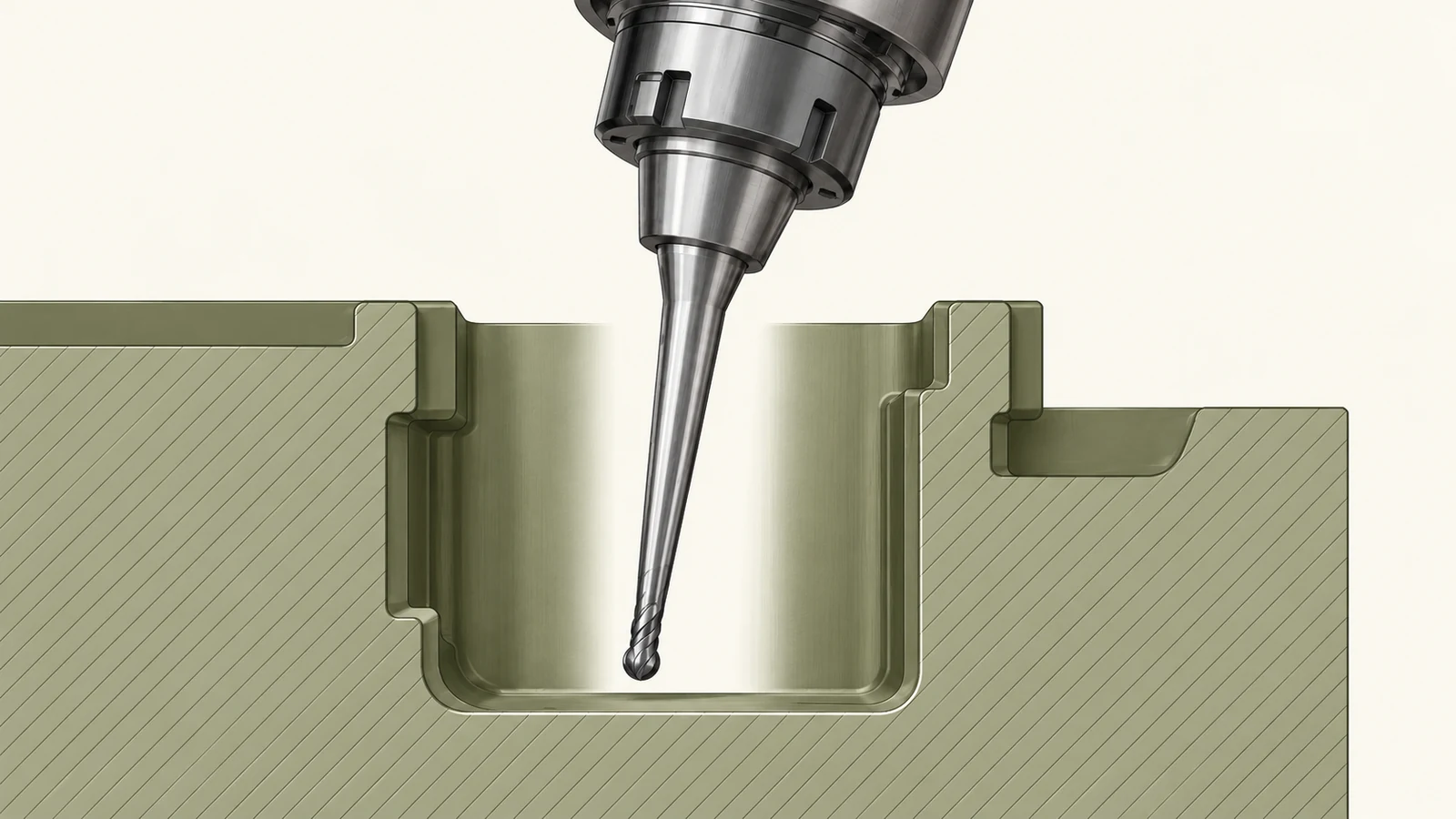
Include the workholding and the machine context in the same review. A vise jaw, clamp, tombstone, probe, or adjacent part can restrict the available approach direction. Also account for the stock before cutting; a toolpath that is clear after roughing can still collide during an earlier operation when more material remains. The setup coordinate system and part orientation must match the real fixture, or collision review is working from the wrong geometry.
Tool length is a trade-off. A longer reach can improve access, but it increases leverage and can make the cut more sensitive to deflection or vibration. A shorter assembly may be more rigid but blocked by the part. The choice depends on tool diameter, stickout, material, engagement, and required surface condition. Do not treat “long-reach” as a free solution to an inaccessible feature.
Choose an orientation for the feature
For indexed 3+2 machining, the work is tilted to a fixed position and the tool then cuts with a stable orientation for that operation. This can simplify access to angled faces and reduce repeated setups when the geometry permits. Continuous five-axis motion changes the tool axis while cutting; that can help follow a complex surface or avoid local interference, but it adds programming, postprocessing, and verification demands.
The important distinction is the required motion, not the machine label. If the cutter can reach the surface at one fixed tilt with adequate clearance, continuous motion may not be necessary. If the surface normal changes substantially or a local obstruction blocks every fixed approach, a changing orientation may be needed. The site’s 5-axis milling capability describes the relevant process context; the part’s geometry and setup determine the appropriate strategy.
Evaluate the orientation at the tightest part of the path. Entry, exit, lead-in, linking, and retract motions can be more collision-prone than the steady cutting segment. A safe orientation on the main face does not prove that the tool can approach or leave the feature safely.
Check the collision points in order
| Assembly element | Typical risk | What to verify |
|---|---|---|
| Cutting edge | Cannot reach the required surface or leaves an uncut region | Contact point, tool axis, and local surface angle |
| Shank or neck | Contacts a wall while the tip is clear | Neck length, diameter, and clearance along the full path |
| Holder or adapter | Clips a tall feature or fixture | Holder envelope at the most tilted orientation |
| Spindle nose | Approaches the work too closely during a steep tilt | Machine-specific head geometry and pivot behavior |
| Fixture or clamp | Blocks the approach or retract direction | Actual clamping layout and tool motion during linking |
Check these elements through the full motion, including rapid moves and transitions between surfaces. Review whether the machine’s rotary axes move the tool, the part, or both; the apparent on-screen tool angle does not by itself show the real swept volume. Machine kinematics and pivot locations affect how clearance changes as the axes rotate.
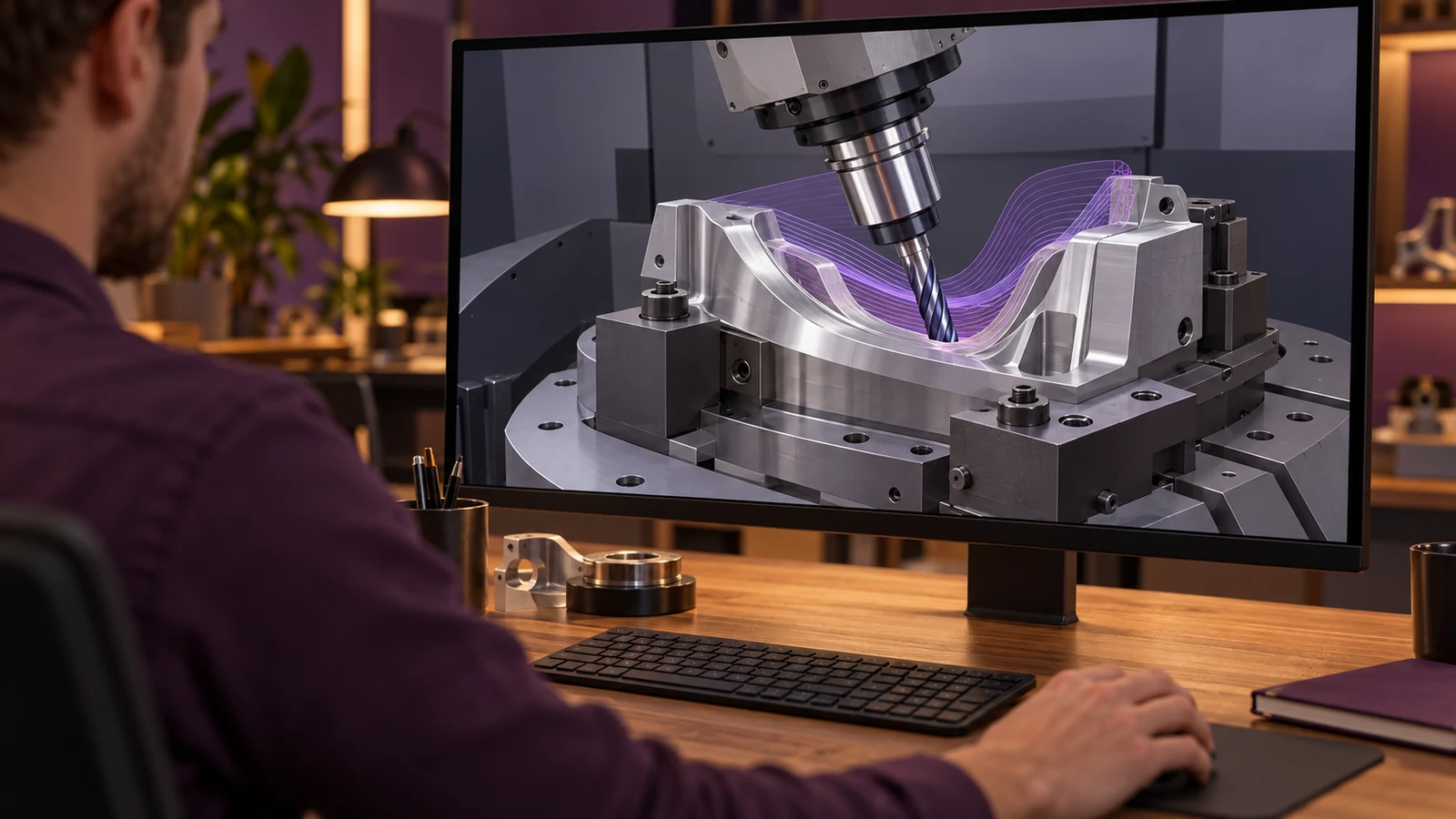
Also establish an engineering margin rather than accepting a path that only avoids exact geometric intersection in the model. Model tolerance, tool runout, workholding variation, stock variation, and setup error can reduce the real clearance. The margin should be determined for the machine and operation; no single universal clearance distance fits all assemblies.
Use simulation as a check, not a guarantee
Simulation is useful when the model includes the actual machine, fixture, tool assembly, stock, and relevant motions. A generic machine model or simplified holder can miss the obstruction that matters. Confirm that tool geometry and holder data match the tools intended for the job, and that the postprocessor output represents the same kinematics used in the simulation.
Separate gouge checking from collision checking. A simulation can show that the cutter does not gouge the part while the holder still approaches a clamp. It can also show no geometric collision while the tool is too flexible for the planned cut. These are different failure modes and need different checks.
Where risk warrants it, verify the first setup through the shop’s controlled prove-out procedure and keep people outside the hazard area. A simulation is a planning aid, not permission to bypass machine safeguards or run an unverified path at production conditions. Any prove-out procedure must follow the machine builder’s instructions and the shop’s safety rules.
Design inputs that improve access
When a feature is difficult to reach, revisit the design before assuming the longest possible tool is the answer. Could a corner radius be increased without affecting assembly? Can a wall be lowered, a pocket opened from another face, or a nonfunctional surface made accessible to a standard cutter? Even a small geometry change can reduce holder interference and make inspection easier.
Provide the machinist with a complete model, drawing datums, critical surfaces, and any no-contact or finish requirements. Identify which face must remain untouched and which areas can accept a blend or tool radius. If the part’s function requires a deep narrow channel or a hidden surface, say so explicitly so the manufacturing review can evaluate orientation and tooling before the design is frozen.
Finally, connect access planning to inspection. A surface that is reachable by a tilted cutter may still be difficult to measure. Consider probe access, visual line of sight, and datum transfer in the same review. Manufacturing access and verification access are related, but they are not identical.
Frequently asked questions
Does five-axis machining eliminate holder collisions?
No. Additional motion can create more approach options, but the holder, spindle, workpiece, and fixture still occupy physical space. The complete assembly and path need to be checked.
Is 3+2 the same as continuous five-axis cutting?
No. In 3+2, the work is indexed to a fixed orientation for the cut. Continuous five-axis motion changes the axis orientation during cutting. The geometry determines which motion is useful.
Can a longer tool always reach a deep feature?
It may extend reach, but additional stickout can increase deflection and vibration sensitivity. The tool diameter, cut engagement, material, and finish requirements must also be considered.